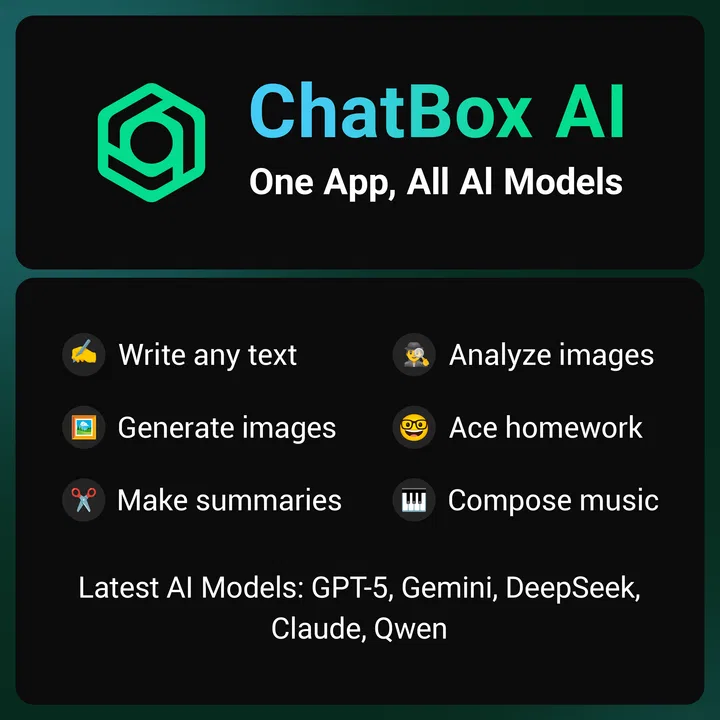
ChatBox: AI Chat Bot Assistant
- 4.3
- Rating
- 5.00M
- Installs
- Free
- Price

 Analysis by App-foxy
I spend a lot of time switching between chat assistants, writing tools, image generators, and ordinary search, so I was interested in seeing whether ChatBox: AI Chat Bot Assistant could make that routine less fragmented. It is a free productivity app from FLORATE LIMITED that brings several AI-oriented tasks into one place, rather than asking me to maintain a separate app for every kind of request. After using it for drafting, rewriting, brainstorming, and quick questions, I found it most useful as a flexible workbench rather than as a complete replacement for every specialist tool.
The appeal is easy to understand. I can open one app when I want help shaping an email, turning rough notes into a clearer outline, exploring an idea, or creating text and images from a prompt. That convenience matters when I am working from a phone and do not want to copy material between several services. At the same time, the all-in-one approach means the experience depends heavily on the quality of the particular task, the complexity of the request, and how much patience I have when a result needs checking.
How ChatBox feels during everyday use
When I use ChatBox for everyday tasks, I find it helps to decide what I need before opening a conversation: a clearer sentence, a few ideas, or a starting point for a larger piece of work. That small choice keeps the exchange focused and makes it easier to judge whether the answer is useful. I also pay attention to where the app’s convenience ends, especially when a task calls for careful editing or a more specialized tool.
You May Also Like

 Blood Strike: 2.5 Anniversary
Blood Strike’s Loadouts Turn Every Drop Into a Tactical Gamble
A close look at Blood Strike’s custom loadouts: how fast access to signature weapons reshapes its battle royale rhythm, rewards preparation, and narrows the gap between fights.

 Pandora - Music & Podcasts
Pandora’s Music Is Easy to Start, but Harder to Recover
Pandora’s strength is its low-effort path from a seed to a station. Its weak spot is how much confidence it asks you to place in connection, setup, and quiet recovery.

 8 Ball Pool
 Is Built on Rivalries, Rematches, and Routine
A close look at the rivalries, rematches, shared routines, and unanswered safety questions that turn a quick pool match into a persistent mobile community.

 Samsung Music
’s Quiet Strength Is Playing What You Already Own
Its reach comes less from spectacle than from dependable access to a personal library. That simplicity is both the app’s strongest retention engine and its ceiling.

 AccuWeather: Weather Radar
AccuWeather Review: A Quick, Clear Forecast for Everyday Decisions
For everyday plans, the best forecast is the one you can understand quickly. AccuWeather makes rain timing, radar, and local conditions easy to act on, with a few trade-offs.

 Hill Climb Racing
Why Hill Climb Racing Still Turns Crashes Into One More Run
A tiny car, a bumpy hill and one more upgrade: Hill Climb Racing keeps resurfacing because its simple chaos makes every near-miss feel personal.
More From Our News Desk



Speed expectations: quick for simple prompts, less predictable for ambitious ones
For short questions and small writing jobs, ChatBox feels like the kind of tool I can reach for without much preparation. A request such as “make this message friendlier” or “give me five names for a project” is naturally suited to a mobile assistant. The interaction is direct, and I do not need to build a document or configure a complicated workflow first. That low starting friction is one of the strongest reasons to keep it installed.
My expectations change when I ask for a long, carefully structured answer or an image. Those tasks involve more processing than a quick rewrite, so I treat the waiting time as part of the exchange rather than expecting an instant response. The app’s store summary presents chatbot, smart assistant, text generation, and image generation in one package, but those are different workloads. A fast text response does not automatically mean an image request or a complex instruction will feel equally immediate.
A useful habit is to begin with a narrow instruction and then refine it. Instead of asking for a complete marketing plan in one huge prompt, I might request an outline first, choose the useful sections, and then ask for each section separately. This usually produces a more manageable conversation and makes it easier to spot weak assumptions. It also avoids wasting time waiting for a large answer that I will later have to reorganize.
ChatBox is particularly convenient for the small gaps in a day. I can use it while commuting, before a meeting, or when I have a half-formed idea that would otherwise remain in my notes. It is not the sort of speed I would use as a promise for every request; it is better understood as fast access to several AI-style tools, with response time varying according to what I ask the app to do.
Heavy-use moments: where the all-in-one design helps and where it becomes tiring
The most convincing workflow I found was moving from thinking to drafting without changing apps. I could ask for possible angles, select one, request a short structure, and then turn that structure into a first draft. Afterward, I could ask for a more conversational tone or a shorter version. Keeping those stages in one conversation reduces the copying and pasting that normally interrupts creative work.
Another practical use is preparing for a conversation. I might describe a complicated issue, ask ChatBox to identify the main points, then request a neutral version that I can use in an email. This is helpful when the problem is not a lack of ideas but difficulty organizing them. I still read every line myself, especially when the subject involves work, money, health, or another area where a confident but inaccurate answer could cause trouble.
Long sessions reveal a trade-off. The more I ask an assistant to remember from a conversation, the more important it becomes to restate the goal and constraints. A chat can accumulate examples, revisions, and side questions until the original task is no longer clear. I get better results by periodically summarizing the decision so far and starting the next request from that clean summary. This is a small technique, but it makes the app feel more reliable during extended use.
Image generation is also better when I treat the first prompt as a draft. I prefer describing the subject, mood, composition, and intended use separately instead of writing one vague sentence. If the result misses the point, I change one element at a time. That approach makes the process easier to control, although anyone expecting the precision of a dedicated creative suite may find the single-app approach limited.
Heavy use can also expose a practical issue with mobile productivity: the screen is small. Reviewing a long answer, comparing several versions, or editing generated text on a phone is less comfortable than doing the same work on a larger display. ChatBox can help me reach a first draft anywhere, but I often prefer to move important final editing to a conventional writing app.
Reliability: useful for momentum, not a substitute for judgment
I judge an AI assistant’s reliability in two ways: whether it responds consistently and whether the content deserves trust. ChatBox is valuable when I need momentum, but fluent wording can make an imperfect answer sound more certain than it should. I therefore use it as a collaborator for ideas and language, not as an authority.
For factual work, I ask for a concise answer and then verify important claims elsewhere. This is especially important when the response could change a decision. The app’s productivity role is strongest when it helps me transform material I already understand: clarifying a paragraph, organizing a list, generating alternatives, or suggesting questions I should investigate. It is less suitable as the only source behind a serious report.
Prompt clarity makes a noticeable difference. Including the audience, desired length, tone, and restrictions gives the assistant a better target. I also find it useful to ask for uncertainty to be marked rather than hidden. When a response contains assumptions, I can challenge them directly and request a revised version. That back-and-forth is more productive than accepting the first polished paragraph.
Recovery matters when a result goes in the wrong direction. I do not always need to abandon the conversation. A short correction such as “keep the structure, remove the sales tone, and use simpler language” can bring the next answer closer to what I wanted. If the exchange becomes tangled, I copy the useful facts into a fresh prompt and restart. This reset method is worth remembering because it is often quicker than trying to repair a long chain of misunderstandings.
I also avoid placing sensitive personal information into casual prompts. Even when an app is convenient, I do not need to include real names, account details, private correspondence, or confidential business material to demonstrate a writing task. Replacing those details with neutral placeholders usually gives me the same editing benefit while reducing unnecessary exposure.
Device constraints and cost considerations
ChatBox is listed as suitable for Everyone and requires an operating system version of at least 10. That makes the device requirement fairly straightforward for people using a supported phone, but it is still worth checking compatibility before planning around it. On a phone with limited free space, many conversations, generated images, and other productivity apps competing for attention can make the overall experience feel more cramped, even when the app itself is easy to open.
Resource demands are difficult to judge from a short session because AI work is not the same as running a fully offline calculator or notes app. Requests depend on network communication and remote processing, so the practical experience can change with connection quality and the complexity of the task. I would not choose ChatBox for a situation where I must work without dependable connectivity. For quick mobile use, however, the benefit is that the phone acts as the access point rather than needing a powerful computer for every request.
The app is free to install, which makes trying it low-risk. It also includes in-app purchases ranging from $4.99 to $99.99 per item, so I would not assume that every level of use will remain free. Before relying on it for a daily workflow, I would check exactly which tools or limits are connected to paid items inside the app. This is particularly important for frequent users who may send many requests or use image generation regularly.
Its popularity gives some context without settling the question of quality. ChatBox has an average rating of 4.3 from around 98 thousand ratings, with roughly 1.3 thousand written reviews, and it has passed 5 million installs. Those figures suggest that the concept has reached a substantial audience, but they do not tell me whether it fits my particular device, writing habits, or tolerance for checking AI output. I use them as a reason to investigate, not as a replacement for personal testing.
The current version is 1.108.0, and the app was released on April 14, 2023. Version numbers and release history are useful context when considering an actively maintained product, but they are not guarantees of perfect stability. I still keep drafts in a separate notes or document app when the work matters. That simple backup habit protects me from losing progress during any mobile session, regardless of which assistant I am using.
Who will get the most from it?
I would recommend ChatBox to students who need help turning scattered thoughts into a study outline, provided they check the result against their course material. It can also suit freelancers preparing first drafts, job seekers polishing application language, and busy users who want a quick way to rephrase a message without opening several specialized tools. The common thread is a need for flexible assistance rather than a demand for perfect, publication-ready output on the first attempt.
It is also a good fit for people who enjoy experimenting. The combination of conversation, text creation, and image creation encourages a trial-and-revision style. I can begin with a rough idea and discover a better direction through follow-up prompts. That makes the app more interesting than a basic grammar checker, because it helps with the early stages of thinking as well as the final wording.
I would be more cautious about recommending it to someone who wants a focused office suite, a private offline notebook, or a specialist image editor with detailed controls. A dedicated writing app is usually better for formatting, document management, and long-term organization. A search engine is better when I need source-based browsing and direct access to original pages. A specialist creative application is better when exact visual editing matters more than generating possibilities quickly.
People who dislike reviewing machine-generated text may also become frustrated. ChatBox can save time, but it does not remove responsibility. The more important the output, the more I need to check tone, facts, names, calculations, and unintended implications. If I only want a simple notes app with no generated content, this is probably more capability than I need.
My practical workflow for getting better results
I begin by stating the job in plain language and adding the context that affects the answer. For example, when preparing a customer message, I specify who will read it, what outcome I want, and whether the tone should be warm, direct, or formal. Then I ask for one version rather than a flood of alternatives. After reading it, I request a targeted change. This keeps the conversation focused and makes it easier to decide whether the result is actually improving.
For brainstorming, I ask for categories instead of an unstructured list. If I need names for a project, I might request practical options, playful options, and serious options separately, followed by a short explanation of the trade-off in each group. This produces material I can evaluate rather than a long stream of disconnected suggestions.
For rewriting, I preserve the original meaning myself before asking for changes. I do not assume that a smoother sentence is automatically a faithful one. After ChatBox returns a revision, I compare it with my source and restore any detail that was softened, omitted, or accidentally changed. That is one of the most important habits for using an AI writing assistant responsibly.
For images, I keep a small prompt template containing subject, setting, lighting, mood, composition, and exclusions. Reusing that structure makes experiments easier to compare. I also avoid expecting the first result to be final. The app is more useful to me as a way to explore a visual direction than as a replacement for a designer who needs exact brand consistency.
When I finish a useful session, I save the final text somewhere independent of the chat. I also write down the prompt that produced the best result if I expect to repeat the task. This turns a one-off exchange into a reusable personal workflow and reduces the temptation to scroll through an old conversation searching for the right wording.
My performance verdict after regular use
ChatBox: AI Chat Bot Assistant is a capable convenience app for people who want several AI-assisted tasks within one productivity-focused space. Its strongest quality is not that every response is perfect or every task is equally fast. It is the reduction in friction between having an idea and producing a usable first version. On a supported device, that can be genuinely helpful during short, mobile work sessions.
I would describe its stability in practical terms: it is useful when I keep requests focused, protect important drafts elsewhere, and remain willing to restart a confused conversation. Complex prompts, long sessions, and image work naturally require more patience than simple rewrites. That is not a reason to dismiss the app, but it does mean I would not build a critical process around one unverified response or assume that an all-in-one tool will match every specialist alternative.
The free entry point makes it easy to test, while the range of in-app purchase prices means regular users should pay attention to how their preferred features are offered. The Everyone age rating and broad productivity focus make it approachable, but approachable does not mean automatic. Good prompts, careful checking, and sensible privacy habits still determine the quality of the experience.
My recommendation is simple: try ChatBox if you want a flexible mobile starting point for writing, ideas, and AI-generated images, but keep a dedicated editor, search tool, or creative suite nearby when accuracy, organization, or precise control matters most. I would keep it for quick assistance and creative momentum, not treat it as the final authority or the only place where important work lives.
FAQs for ChatBox: AI Chat Bot Assistant
01What is ChatBox: AI Chat Bot Assistant, and what can it do?
ChatBox: AI Chat Bot Assistant is a mobile AI companion designed for conversations, writing, brainstorming, summarizing, translation, and general question answering. During testing, it was most useful for quickly generating ideas, improving text, explaining unfamiliar topics, and helping organize information. Its exact capabilities may depend on the selected AI model, the app version, and whether certain features require a subscription.
02Does ChatBox: AI Chat Bot Assistant require an internet connection?
Yes, users should generally expect to need an active internet connection because messages are processed through online AI services. The app may open or display previously available conversations offline, but sending new prompts and receiving reliable answers usually requires Wi-Fi or mobile data. Connection quality can affect response speed, and data charges may apply when using cellular networks.
03Is ChatBox: AI Chat Bot Assistant free to use?
The app may be available to download for free, but free access can include limits on messages, advanced models, image or file features, or daily usage. Some tools may be placed behind a premium subscription or in-app purchase. Before starting a trial, check the current pricing, renewal terms, and cancellation instructions in the App Store or Google Play listing.
04Can I rely on the answers provided by ChatBox: AI Chat Bot Assistant?
ChatBox can produce helpful and well-written responses, but its answers should not be treated as automatically correct. Like other AI assistants, it may misunderstand a prompt, use outdated information, or confidently provide inaccurate details. Review important results carefully, especially for medical, legal, financial, academic, or professional decisions, and verify claims with trustworthy sources.
05Is my information private when I use ChatBox: AI Chat Bot Assistant?
Privacy depends on the app’s current policy, the AI services it uses, and the permissions granted on your device. Avoid entering passwords, payment details, identity documents, confidential work material, or other sensitive personal information unless you have reviewed the privacy terms and understand how conversations may be stored or processed. Check the app’s privacy policy before regular use.
Pros
- Supports varied tasks
- from brainstorming and writing to quick everyday questions.
- Simple chat-based interface makes it easy for first-time AI users.
- Useful for generating ideas when you need a fast starting point.
- Can help rephrase text in different tones and styles.
- Convenient mobile access for assistance while away from a computer.
Cons
- AI responses can occasionally be inaccurate or require fact-checking.
- Some advanced features may depend on a subscription or usage limits.
- Long conversations may lose context or produce inconsistent answers.
- Privacy expectations should be checked before sharing sensitive information.
- Response quality can vary depending on how clearly prompts are written.

ChatBox: AI Chat Bot Assistant
Gallery